How to stop workflows from processing the same data twice in n8n
Uniq
By default, n8n doesn’t check if the same data has already been processed, and this is by design. That means if a webhook retries, a scheduled import overlaps, or a workflow is manually triggered twice, n8n will happily reprocess the same record.
This flexibility is useful for testing, but in production it can lead to serious problems from duplicate emails and reprocessed orders to overwritten database records and inconsistent states.
If your issue isn’t duplicate data but rather multiple runs happening at the same time, check out our guide on how to stop workflows from running concurrently in n8n.
Common Scenarios
There are a number of reasons why this becomes a challenge such as:
-
Webhooks firing multiple times due to retries
-
Scheduled workflows overlapping during long runs
-
Batch imports re-running after partial failures
-
Duplicate emails or notifications being sent
-
API updates being replayed unintentionally
These issues can cause lost time, unhappy customers, and unreliable automation behaviour.
The 8kit Approach
The Do-once Pattern offers a simple and powerful solution ensuring that each item is processed exactly once, even if your workflow runs multiple times.
It uses 8kit’s Uniqs — a built-in collection that keeps track of which items have already been processed.
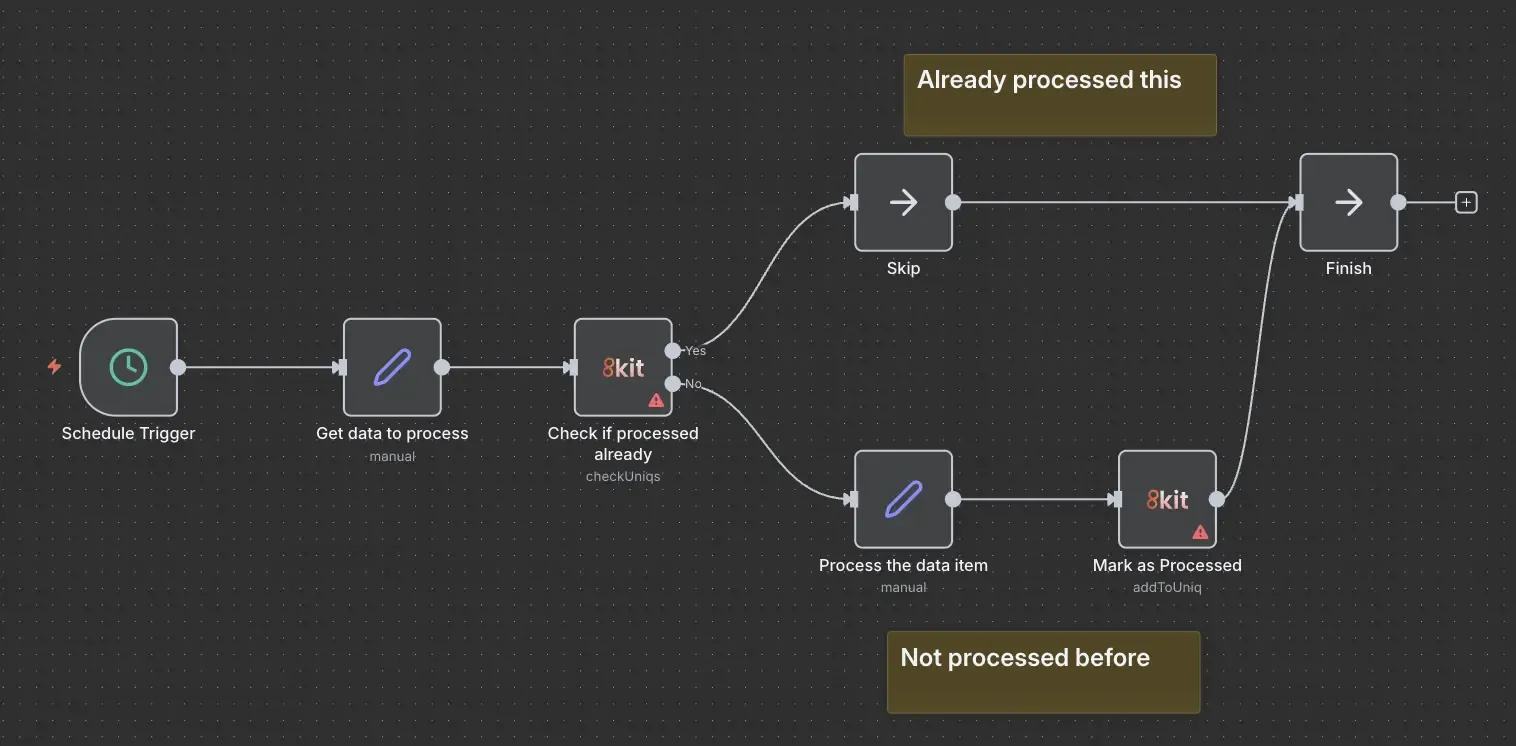
The idea is simple:
-
Check if processed already → Has this ID/email/order been handled before?
-
If not processed → Run the workflow logic
-
Mark as done → Add the unique value to your Uniqs collection
This makes your n8n workflows idempotent — safe to retry and repeat without duplicating work.
Example: Sending Welcome Emails Once Per User
Let’s say your workflow sends a welcome email when a new user registers. Sometimes webhooks retry, or a sync job sends the same user data twice — and suddenly your new customer receives two identical emails.
Here’s how to prevent that using 8kit’s Do-once Pattern.
Basic Workflow Without Checks
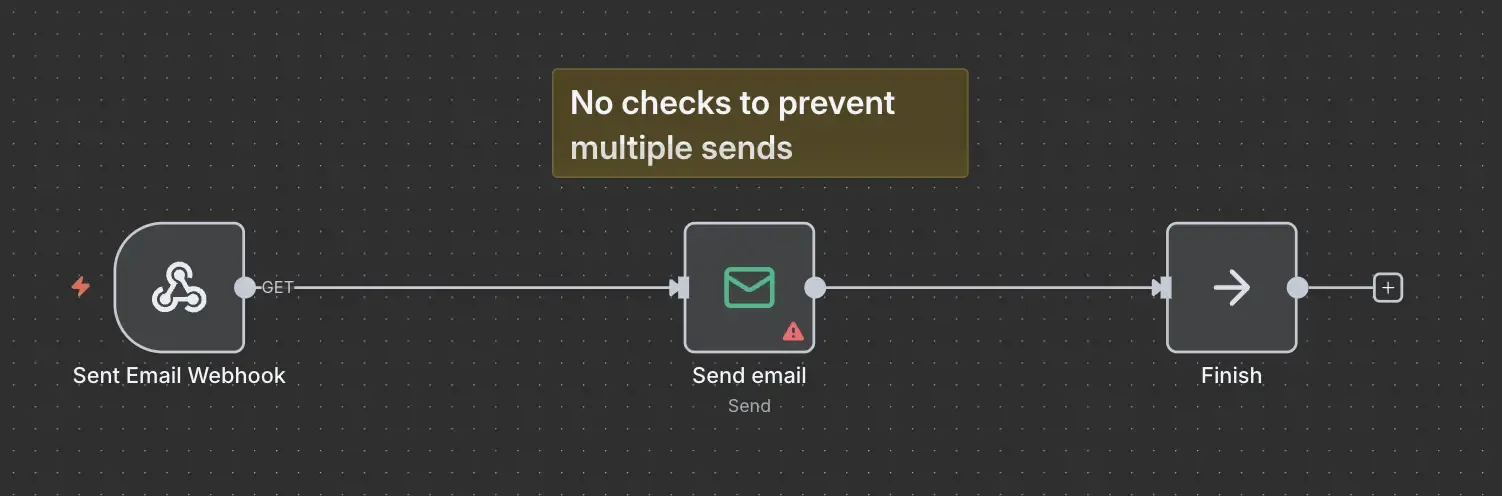
The standard flow consists of the following steps: Trigger → Send Email → End
This works but if triggered twice, both runs send an email which is embarrassing and not the desired functionality.
8kit Enhanced Workflow
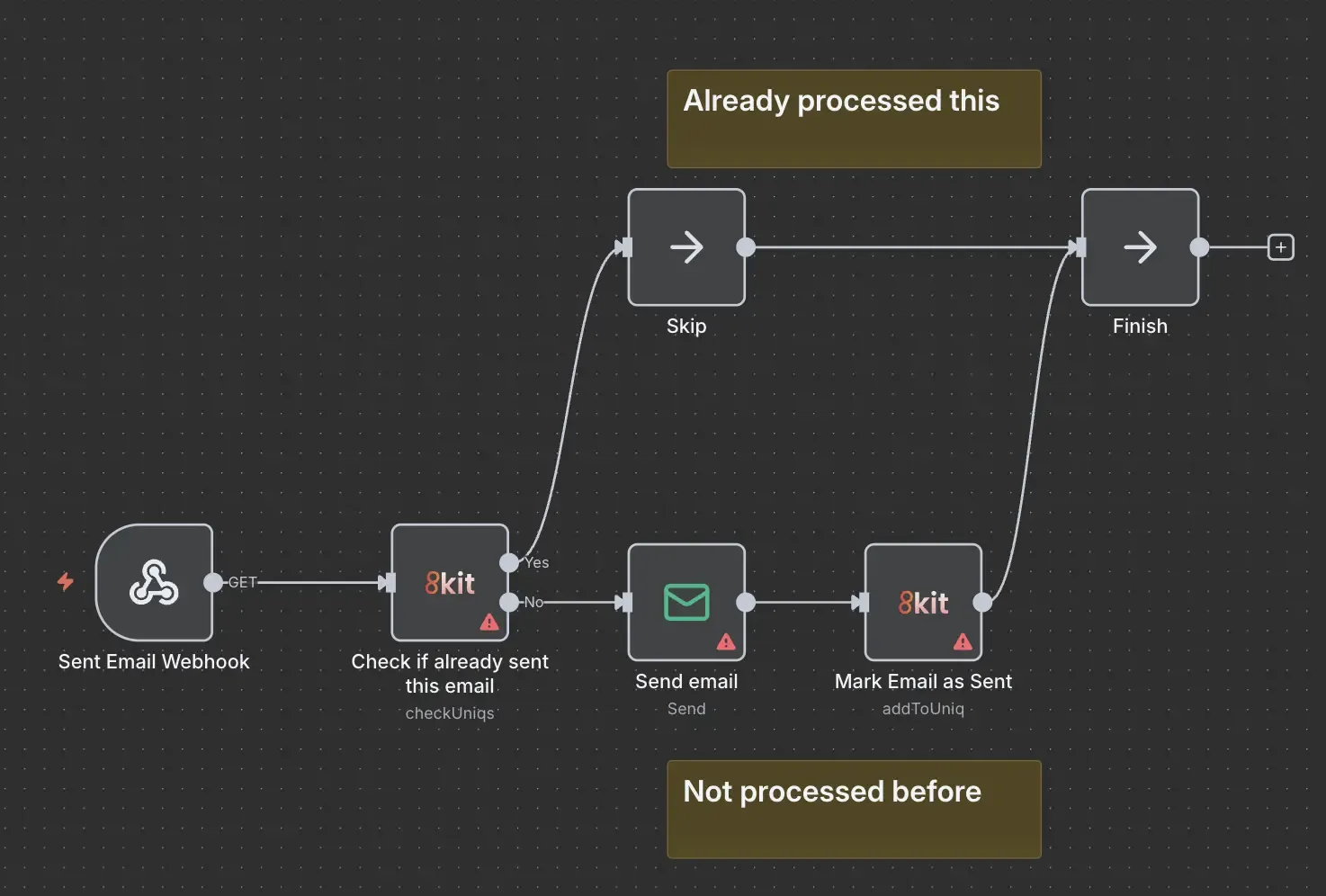
In the enhanced version, we check if we've already sent the email and mark once it has been sent to prevent subsequent misfires:
- Trigger → Check Uniq (email address)
- → If not found → Send Email
- → Add to Uniq → End
In the check we give the uniq a name. In this case it's "welcome-emails" and we check the email address we want to validate. 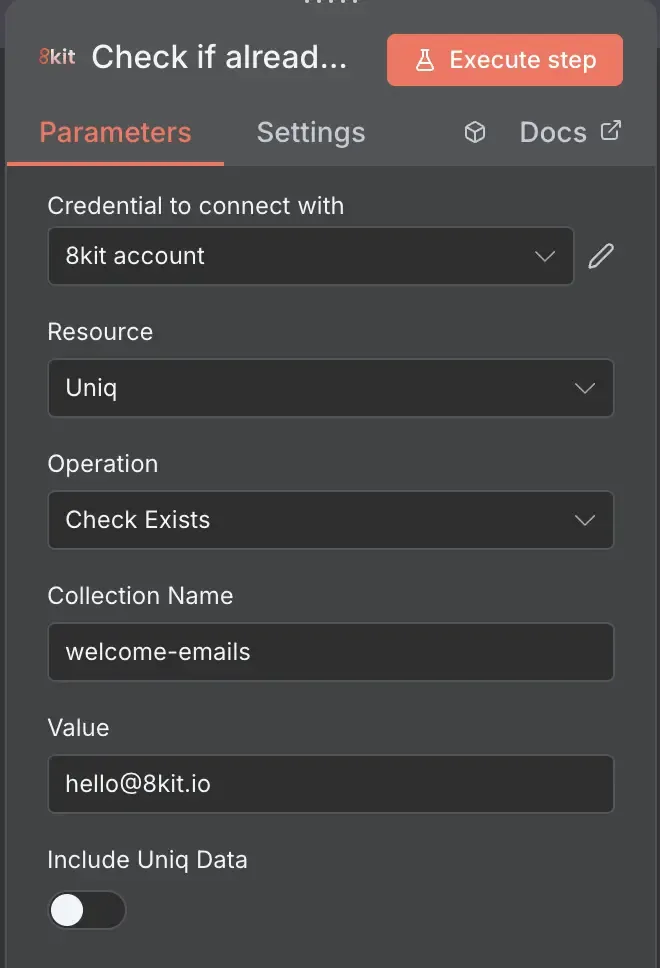
Once we have processed the email we need to let 8kit know that we've done this by adding the email address we've processed to the "welcome-emails" uniq:
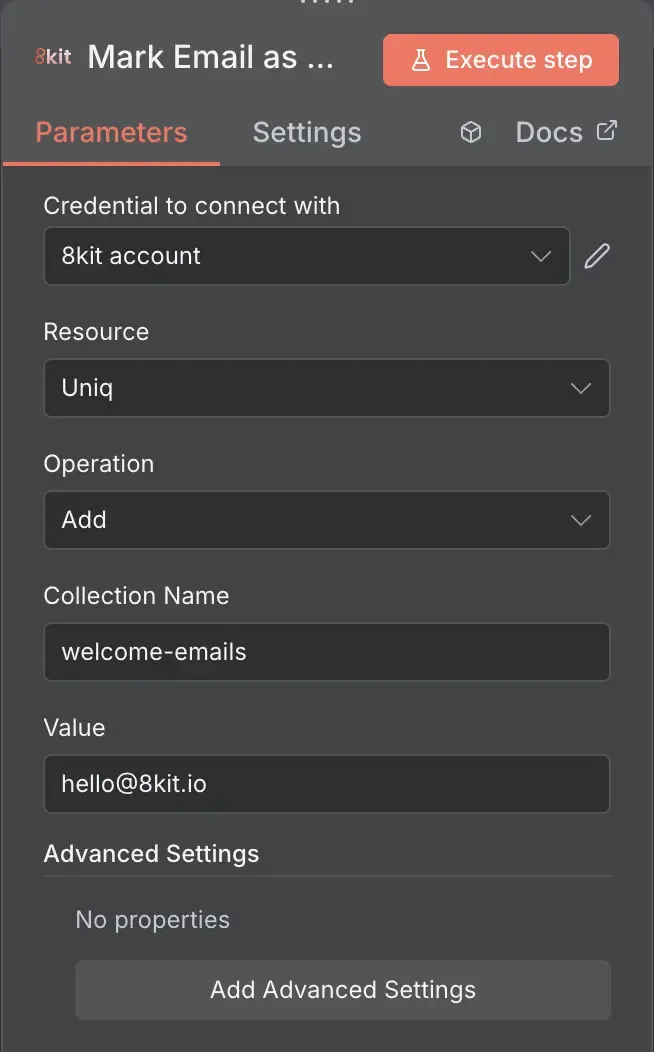
Now, even if the trigger fires again, the workflow checks the Uniq and skips processing for any user that’s already been handled.
Why This Pattern Works
✅ Prevents duplicates – Every item is processed once and only once
✅ Reliable under retries – Safe to run again without repeating work
✅ Simplifies logic – No need for custom code or external tracking
✅ Survives restarts – Persistent tracking across workflow runs
✅ Auditable – All processed IDs stored visibly in your 8kit dashboard
Other Use Cases
-
Order Processing: Process each order once to avoid duplicate fulfilment
-
Webhook Handling: Handle retries gracefully without repeated actions
-
Batch Data Imports: Avoid re-importing existing records
-
API Updates: Prevent duplicate API calls when integrations retry
How It Works in 3 Steps
1. Check Before Processing
Use the “Check Uniq” node to see if your item (ID, email, order number, etc.) has already been processed.
2. Perform the Operation
If not found, continue your workflow — send the email, process the order, or sync the record.
3. Mark as Processed
After a successful run, use the “Add to Uniq” node to record the item as completed.
Related Reading
- How to Stop Workflows from Running at the Same Time in n8n - when you want to ensure that your workflow runs once at any one time and never run concurrently.
- How to Stop Workflows from Processing the Same Data Twice in n8n - when you want to know if you've already processed data and want to prevent re-processing the same item multiple times.
- How to sync records when systems use different IDs in n8n - when you want to keep data in sync across different systems.
Try 8kit Yourself
8kit makes your automations in n8n simpler, faster, and more reliable — without writing custom scripts or managing external databases.
What You Can Do with 8kit
✅ Prevent Duplicate Processing - Keep track of what’s already been processed using the Uniq Nodes. Perfect for stopping data loops, reprocessed webhooks, or duplicate API updates.
✅ Control Workflow Concurrency - Use the Lock Nodes to ensure only one workflow (or section of a workflow) runs at a time. Avoid overlaps, collisions, and race conditions with built-in timeouts.
✅ Remember State Between Runs - Store persistent data such as like timestamps, IDs, or counters across workflow runs using 8kit’s Lookup Node.
✅ Simplify Cross-System Integrations - Easily link related records across platforms using Mapping and Linking utilities, so your ERP, CRM, and eCommerce data always stay aligned.
✅ Handle Complex Automation Logic - 8kit introduces automation-ready building blocks designed for enterprise-grade reliability, including smart retry behaviour, conflict detection, and distributed coordination.
✅ Full Auditability and Admin Interface - You get the 8kit admin UI to look at all your data and when updates occurred so you can trace data flows and have peace of mind.